PostgreSQL installation
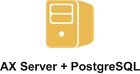
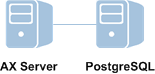
To use an PostgreSQL database server with AX Server, install the database server and application server on the same machine or on separate machines.
Installation overview
Configuration 1 |
Configuration 2 |
|---|---|
|
|
Post-installation
Once you install AX Server, verify that the server is running, activate your organization's installation, and complete the rest of the post-installation tasks. For more information, see Post-installation tasks.
Note
To use AX Exception with Analytics Exchange, you must install AX Exception on a separate physical server. Analytics Exchange and AX Exception use different version of Java and Apache TomEE and cannot run on the same machine. For information about installing AX Exception, see The AX Exception Help Docs.
