Enabling and disabling questionnaire prefill
Unpublished questionnaires can be turned into prefilled questionnaires after they've been created. Existing prefilled questionnaires can also be turned into regular questionnaires before publication.
-
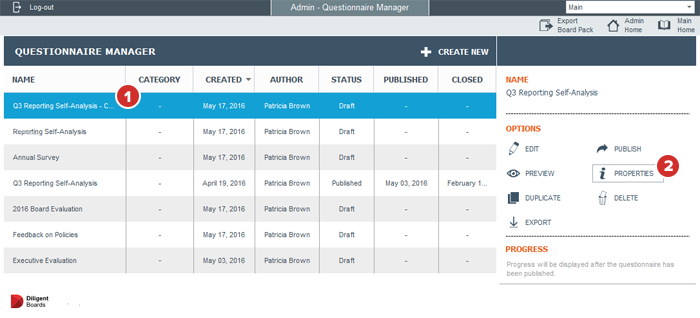
In the Questionnaire Manager, select the questionnaire you want to modify.
-
Select Properties.
Note
To perform the same process in the Prefill Manager, select the master questionnaire and select "Properties" in the Options menu.
-
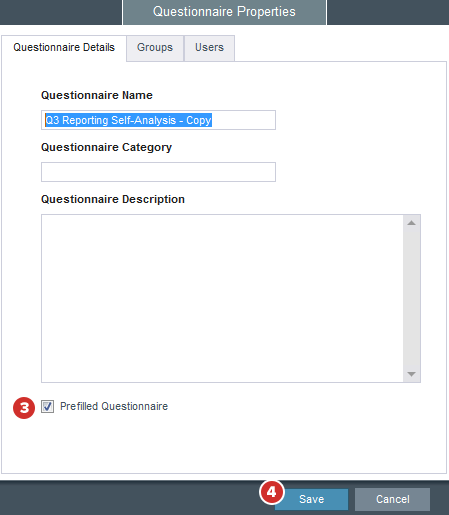
The Prefilled Questionnaire checkbox will indicate if the questionnaire is a prefilled questionnaire or not. If it is not, check this box to make it one.
Note
Existing questionnaires that are turned into prefilled questionnaires will have all prefilled answers start off as blank.
If the questionnaire is currently a prefilled questionnaire, uncheck this box to revert it to a regular questionnaire.
Note
Any prefilled answers that were created will be removed if the "Prefilled Questionnaire" box is unchecked. These answers cannot be recovered.
-
When you're done, select Save. Your changes will be applied to the questionnaire.