Opening your profile to new board roles
In Director Network, you can update your status on your profile to show that you are open to new board roles and use it when applying to future open positions.
Note
If you have not created or claimed your profile the option to View my Profile will not be visible. For more information, refer to Claiming your profile or Creating your profile.
-
To open your profile, on the Home screen, select View my Profile.
Note
If you are in Boards and not on the Director Network Home screen, select Navigation menu
 and select Director Network.
 -
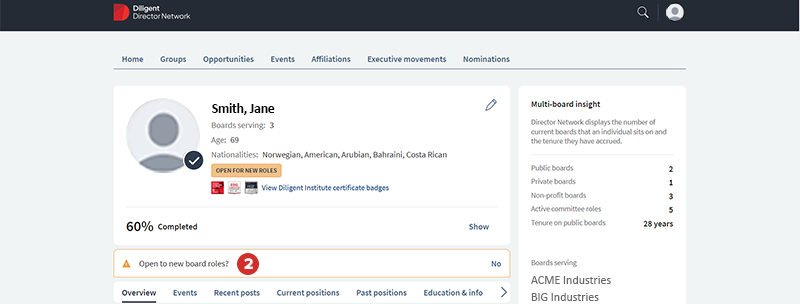
To open your profile to new board roles, under your profile photo and basic information section, select Open to new Board Roles?.
-
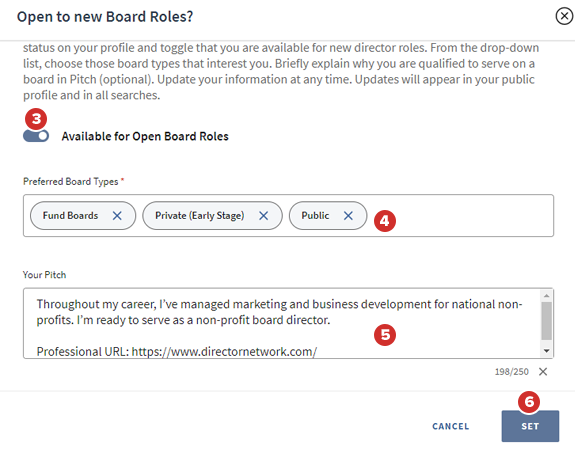
In the Open to new Board Roles? window, select the Available for Open Board Roles option to enable it on your profile.
-
In the Preferred Board Types field, select the type of roles that you want.
-
(Optional) In the Your Pitch field, enter why you are qualified to serve on a board.
-
Select Set.