View notifications
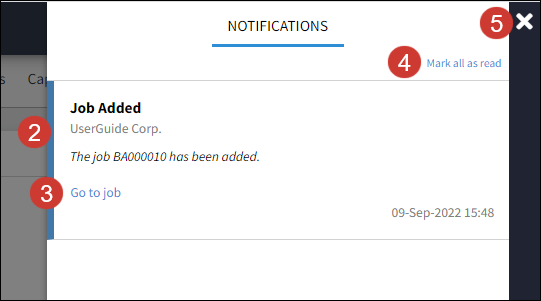
The notifications panel lists updates on the jobs and tasks that have been created within your group and reminders of due items. A blue dot indicates a new notification.
-
Select the notifications icon
 on the toolbar.
 -
Unread notifications will be indicated by a blue bar on the side of the notice.
-
Select the link on the notification to go to the job or task.
-
Select Mark all as read to remove the blue notification on your toolbar and the item.
-
Select X to close the panel.